WIFI from aduno®: 873,483 landing pages broadcast daily via our platform

Used in 10,000 stores of a leading drugstore chain in Europe

WIFI from aduno®: Proven use of our solutions in 12 countries in Europe and the USA

Used by well-known fashion and food companies

WiFi from aduno®: Detail Features

aduno® WiFi offers customer and device management with extensive monitoring, evaluation and statistics functions with history, individual landing page design, voucher setup, geotagging and much more. The features can be combined in modules to create your own products.

  • Clear, modern design

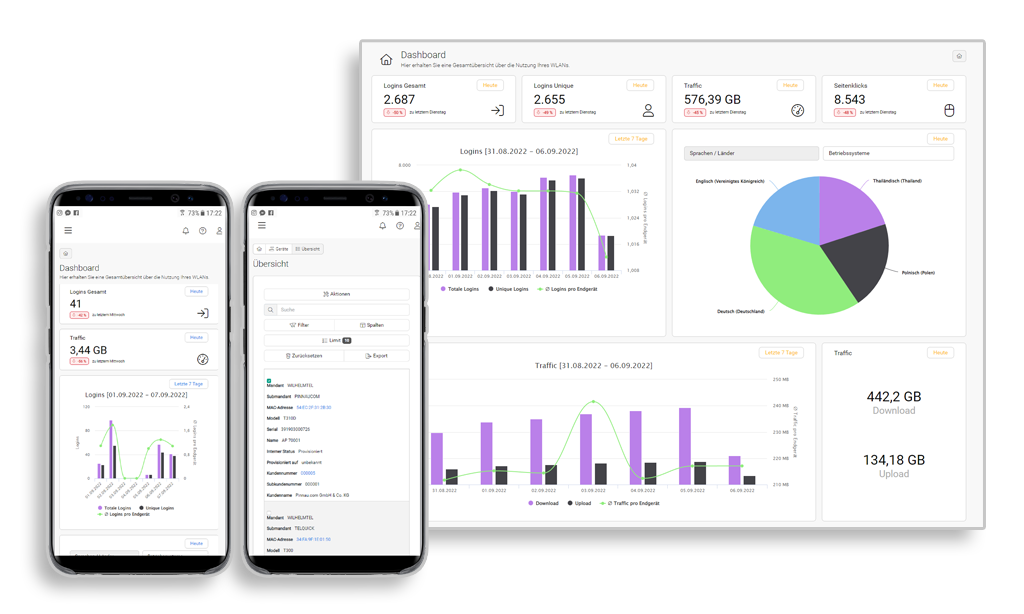
    Version 2.0 has a new, clear design that is geared towards your needs as a user.

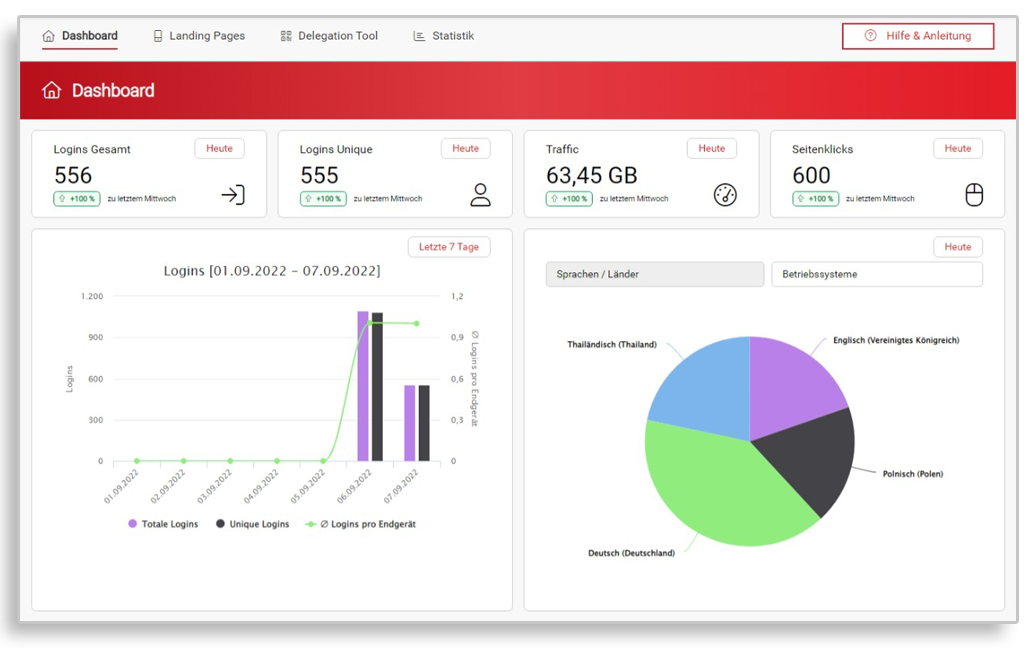
    On your dashboard, you can see current key figures on the use of your portal at a glance, as well as shortcuts to all important functions.

    The mobile display has been significantly improved so that all portal functions can be conveniently operated via your mobile device. Even complex data tables are clearly displayed in the mobile view. Improved, clearer presentation of dialogs and error messages as well as revised dashboard notifications round off the new design.

  • WiFi from aduno®: Customer management

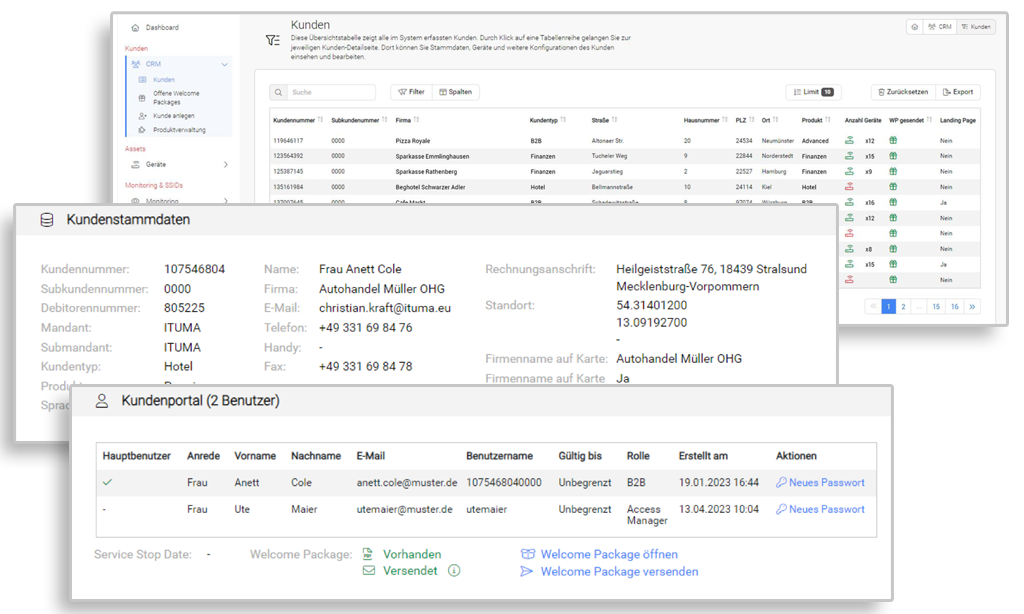
    All customers are clearly recorded in one system. Each of these customers has a view of their own devices and the option to design their own landing page.
    New customers can be added at any time.

    • Scalable system for an (almost) unlimited number of customers who broadcast their own WiFi.
    • Selection of a product (range of functions) when creating a new customer
    • Dispatch of welcome packages with access data
    • Extensive logging, ticket system and much more.
  • Asset management

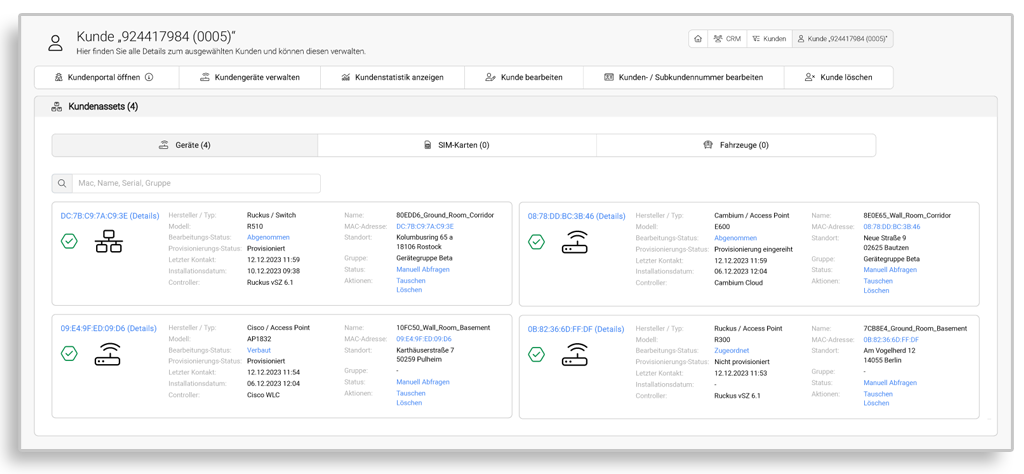
    The Assets area manages devices (modems, access points, routers, switches, etc.) as well as SIM cards and vehicles.

    The assets can be displayed as an overall view or on a customer-specific basis. The extensive filter functions enable all relevant data to be displayed quickly and clearly.

  • Device detail page

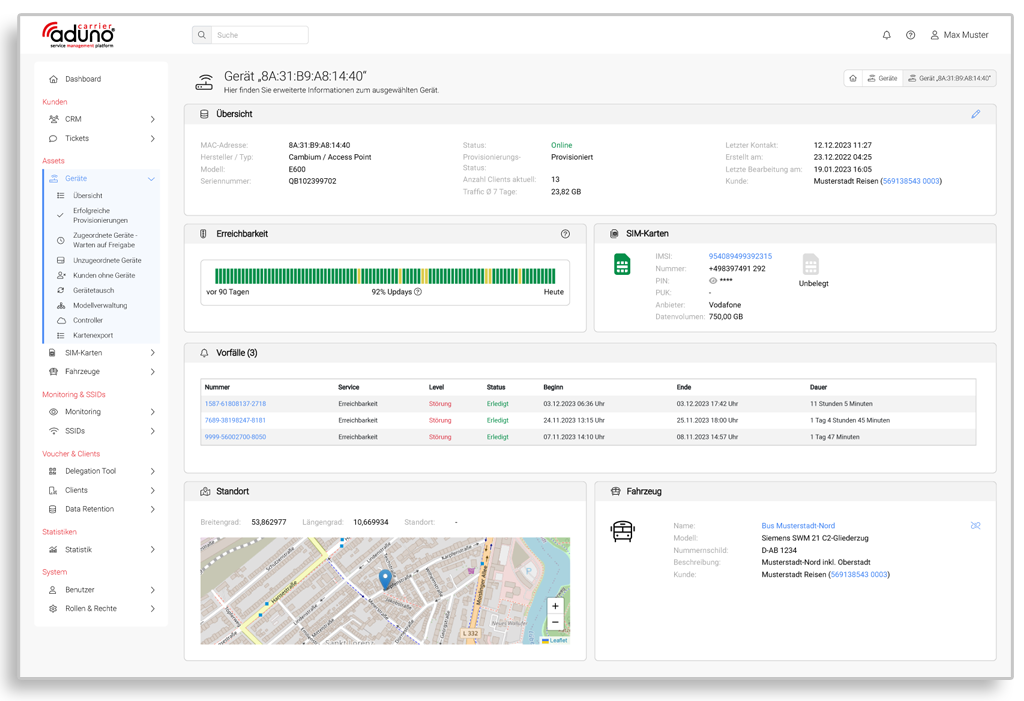
    The device detail pages are individually tailored to the respective device type. Standard features for most device types include

    • Display of the online status
    • Display of traffic and connected clients
    • History of availability in the last 90 days
    • Automatically generated “incidents” based on threshold definitions
    • History and processing status of incidents
    • Linking of devices with superordinate or subordinate assets such as SIM cards and vehicles
    • Geolocation
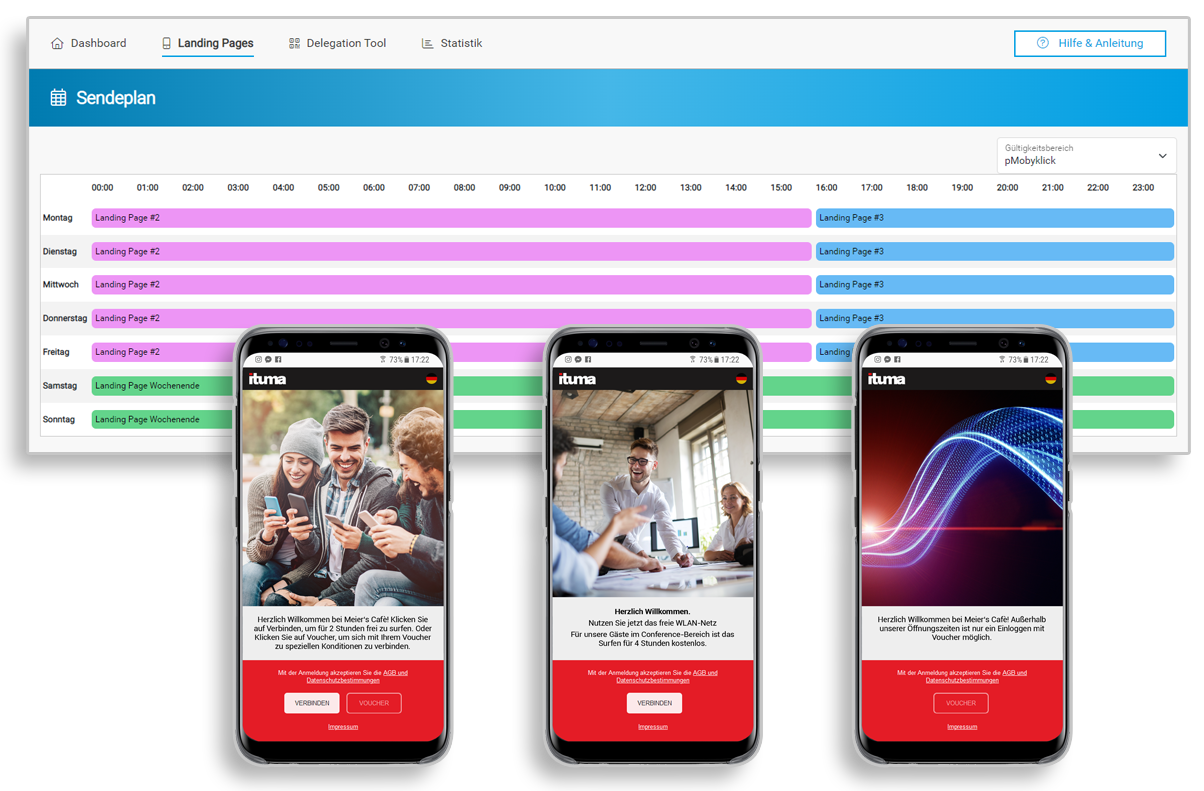
  • Multiple landing page configuration

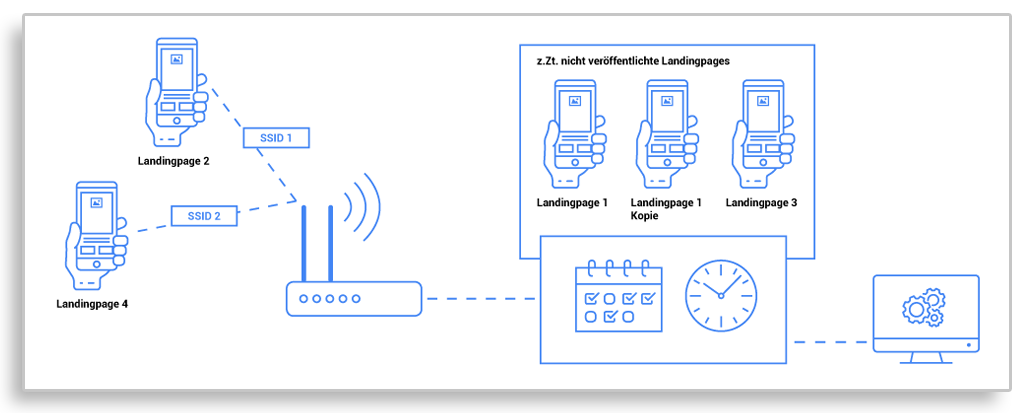
    With the multiple landing page configuration, you have the option of creating several different landing pages in each B2B customer portal. You can also set up global landing pages. The landing pages can be broadcast under different conditions and provided with individual parameters:

    • You can use the timer function to set the time at which each landing page should appear;
      The individual landing pages can be assigned to different SSIDs;
    • You can create landing pages with one-click only, voucher only or one-click and voucher;
    • New functions are available for forwarding after activation.

    You too can offer your customers these premium features!

Convenient broadcast schedule for setting time-related landing pages.

The landing pages created can be saved as a draft and used as required at specific times and/or for specific SSIDs.

  • Product management

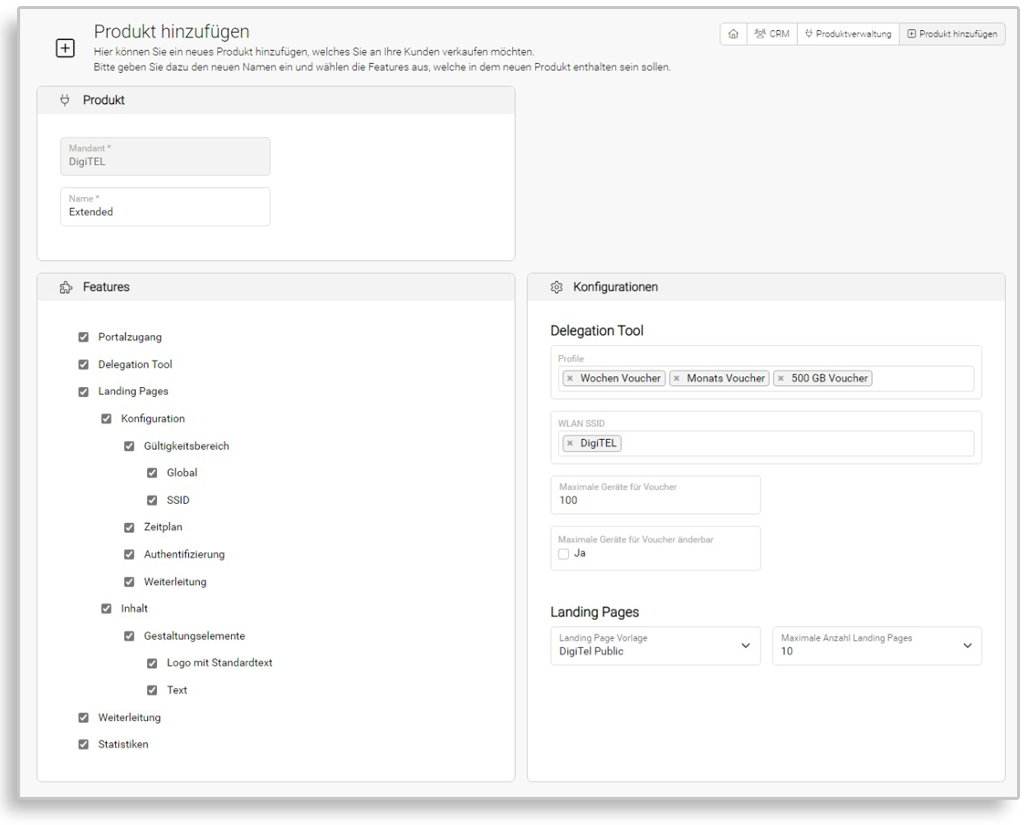
    Previously, all your customers had the same features, defined by predefined products. With the new product management, you now have the option of defining products and their features yourself. You can then offer/assign the products you have created to your customers at the click of a mouse.

    You can add the following features, among others, to the products that you create for your customers:

    • Delegation tool (voucher creation)
    • Creation of multiple landing pages
    • Landing page configuration
    • Landing page design
    • statistics

    Within these properties, subgroups can be selected, e.g. whether your new product includes features such as

    • Creation of a schedule for the appearance of landing pages
    • Assignment of landing pages to SSIDs
    • Creation of landing pages with one-click only, voucher only or both

    should be available.

    And in the Voucher area, you can now predefine which profiles and which SSIDs the customer should be able to choose from.

    With this new product management, you can offer your customers basic, advanced and premium products, for example. Offering several products gives you the option of staggered pricing.

    You too can use these functions to create your own products for your customers!

Product definition in the admin portal…

…and corresponding product features in the B2B portal (example)

  • Extensive statistical evaluations

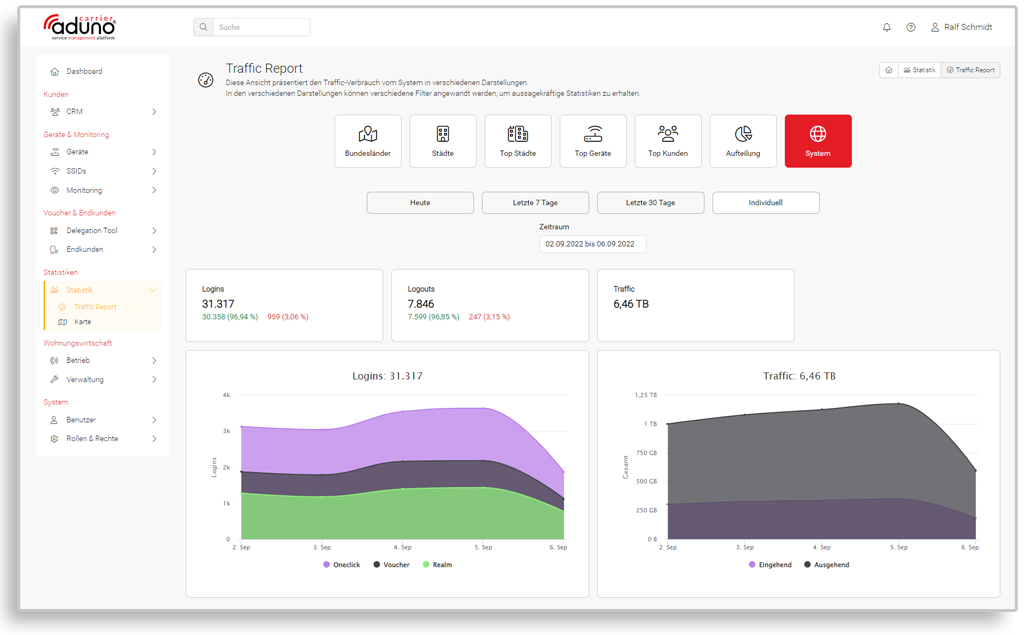
    The statistics can be called up for individual customers, device groups or the entire system.

    The “Traffic Report” shows the data traffic (upload/download), while the “Client Report” shows the number of logins and users (unique/returnees).
    The logins are listed separately according to the use of oneclick, vouchers and realm.

    The values can be displayed for the current day, the last 7 or 30 days or for an individual period. Daily updated values are displayed at the same time.

    The graphs are provided for top cities, top customers and top devices, among others.

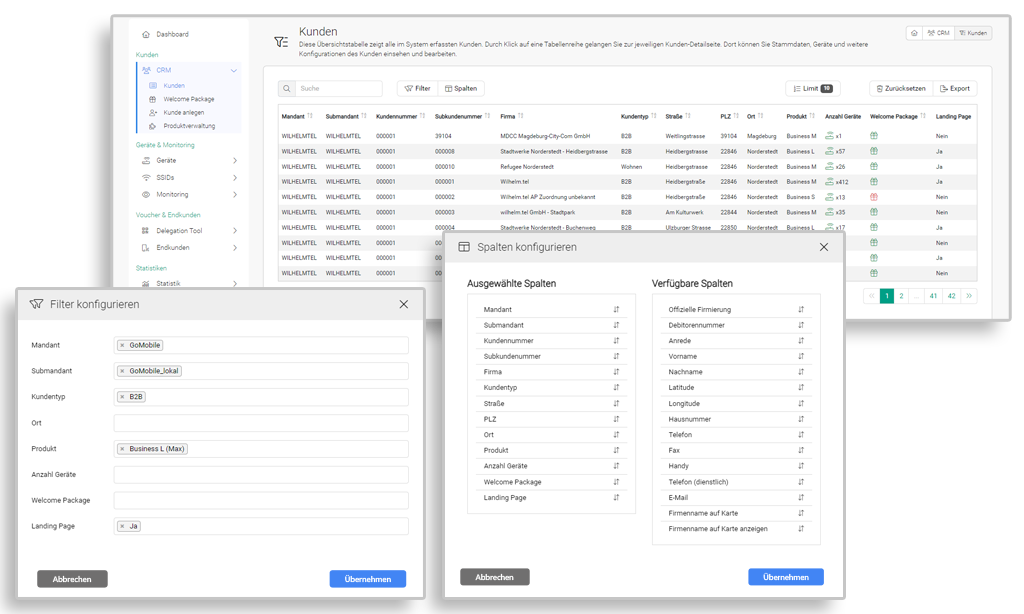
  • Data Tables

    The number of attributes available in the portal for a topic is often so large that it can hardly be displayed in full on one screen.

    For this reason, the options for individual configuration of the table view in the portal have been significantly expanded:

    • “Configure filters” allows you to reduce the number of table rows (e.g. only B2B customers with a specific product, or only customers from one location)
    • Via “Configure columns”, you can reduce or expand the number of table columns and change their order.
  • Management of SSIDs in the customer portal

    SSIDs can be assigned to customers, devices and/or landing pages in the customer portal. If several landing pages have been created for a customer, these can be broadcast on different SSIDs on a time-controlled basis.

    The portal also offers the option of creating device groups in which several of the customer’s devices are grouped together and assigned to specific landing pages.

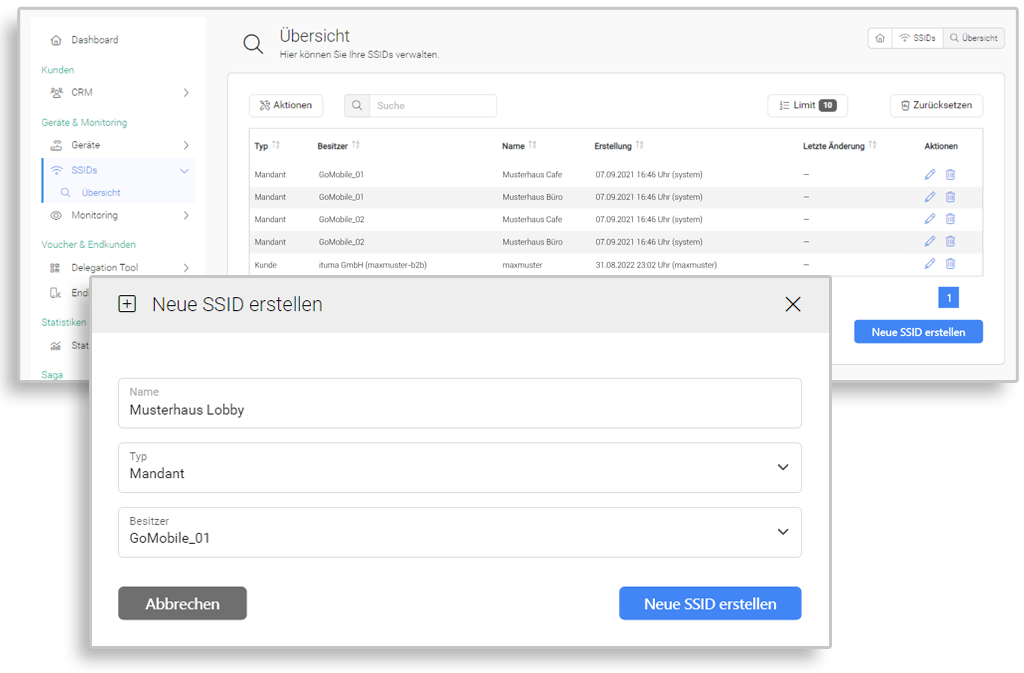
  • SSID management

    Extensive SSID management has been added to the admin portal:

    • SSIDs can be newly created in the portal
    • The names for the SSIDs can be freely selected
    • SSIDs can be linked to clients or owners
    • You can rename or delete the SSIDs at any time